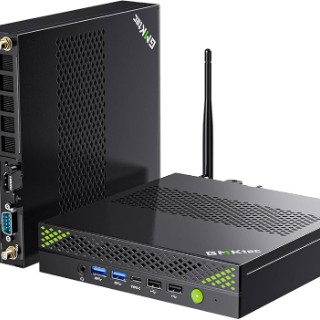
Does anybody else have problems with the GMKtec K8 Plus or any other device where the graphics device fails to initialize properly during warm reboots, leaving you with no HDMI signal. The system is running (fans spinning, power indicator on) but the iGPU isn't being initialized to detect and drive the display. The only way I can get the machine to work after is to do a hard reset by holding the power button, which far from ideal.
Has anybody else experienced this and managed to resolve the issue?
@Daryl Williams
Same problem here. K8 Plus, Windows 11 Pro (recovery image from the GMKtec support page). I’ve done every test you can imagine, changed keyboard and mouse, disabled/enabled sleep, fast startup, Wi-Fi and Bluetooth power-saving features, HDMI to DisplayPort to USB-C adapters, nothing works. Every single time I need to restart the system, it freezes at boot, blank screen, fans spinning slowly. Whether I wait 2 or 10 minutes, nothing happens.
Now I’m going to try a fresh Linux install to rule out the OS. I hope someone at GMKtec sees this. I love this machine, but it’s very frustrating to keep dealing with this issue.
Best.
@Daryl Williams
Dasselbe Problem hier. K8 Plus, Windows 11 Pro (Wiederherstellungs-Image von der GMKtec-Supportseite). Ich habe wirklich jeden erdenklichen Test gemacht, Tastatur und Maus gewechselt, Energiesparfunktionen für Standby, Schnellstart, WLAN und Bluetooth deaktiviert/aktiviert, HDMI-auf-DisplayPort-auf-USB-C-Adapter ausprobiert, nichts hilft. Jedes einzelne Mal, wenn ich das System neu starten muss, friert es beim Booten ein: schwarzer Bildschirm, die Lüfter drehen langsam. Egal ob ich 2 oder 10 Minuten warte, es passiert nichts.
Jetzt werde ich eine frische Linux-Installation versuchen, um das Betriebssystem als Ursache auszuschließen. Ich hoffe, dass jemand von GMKtec das sieht. Ich liebe diese Maschine, aber es ist sehr frustrierend, ständig mit diesem Problem zu kämpfen.
Viele Grüße.
(translated with AI...sorry)
I have k8 plus - no problem. Install amd chipset drivers and andrenaline - "clean install". if it doesnt help instal clean windows 11 iso from MS - google "Windows 11 iso download".
You can try before clean iso instal, InPlace update without loosing you data. When you got the W11 iso open it with Explorer. Ther you have setup.exe. Run it and click next,next etc. but be aware of that it should be setup for "Keep current data". The proces will take about 1h and you will get refreshed system setup but all data is safe. Ofc make a copy of important files, never know what can go wrong. If it doesnt help just reinstall system from ISO extracted to boot USB and make fresh instal with cleaning all partitions on drive. Than install all drivers and all should be fine. I have no problem with this device, except windows after some update deleted my hibernation option from power config. Cant set up time, but hibernation works.
@fan of the product
Hi there.
It doesn’t seem to matter what operating system or setup I use. I’ve done a clean install of Windows 11 and drivers, restored the GMKtec system image, and tested Linux with three different distributions, the behavior is always the same. The machine will not restart from any OS installed.
I’ve also tested different monitors and connections (HDMI, DisplayPort, USB-C), different nvmes, memory, you name it, and even hooked it up to a TV. Nothing changes the issue.
Could it be that a BIOS update is needed? Because it seems something related to a motherboard setting that is somewhat misconfig? I don´t know...
Thanks.