

Best AI Mini PC Guide: Reviews, Specs, and Picks
An AI mini PC can be a smart buy for anyone who wants desktop-class responsiveness in a small footprint, but the best choice depends on workload rather than hype. Some models are built for quiet home-office use, others for multi-display productivity, and a few are strong enough for local AI tasks and content work. The easiest way to narrow the field is to compare performance, thermals, connectivity, and upgrade headroom side by side.
Best AI Mini PC Picks
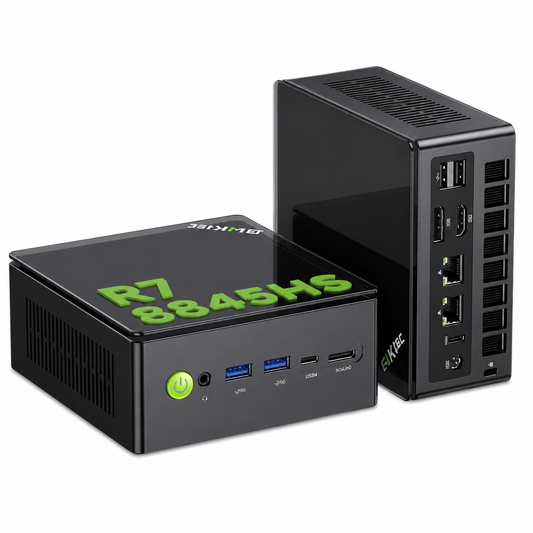
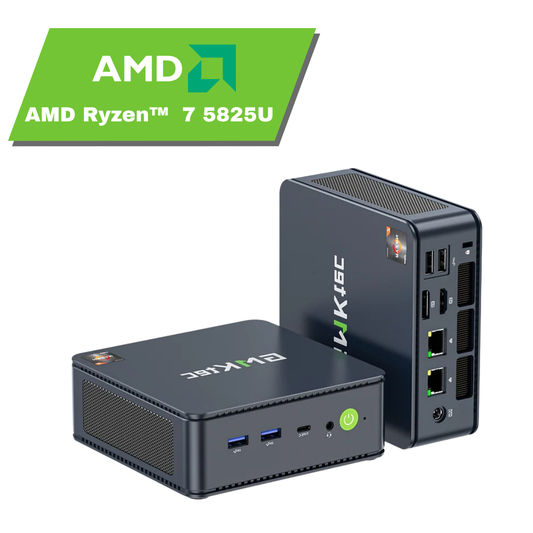
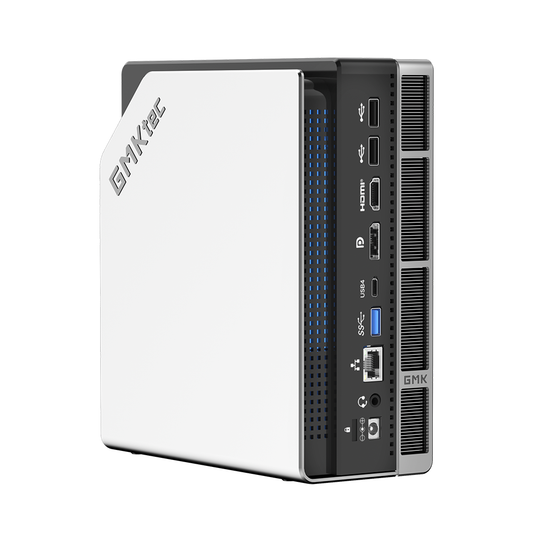
Here is a quick scan of the strongest types of AI mini PC buyers usually shortlist, based on performance, size, and value.
| Pick | Best for | Why it stands out |
|---|---|---|
| GMKtec EVO-X3 — High-performance AI workstation | Creators, developers, and local AI users | Ryzen AI Max+ 395, up to 126 TOPS, 128GB LPDDR5X, and OCuLink |
| GMKtec EVO-T1 — Expandable AI mini PC | Creators, developers, and multi-display users | Upgradeable DDR5 memory, three M.2 slots, and quad-display output |
| GMKtec EVO-T2 — Premium multi-display AI workstation | AI professionals, creators, and data-intensive workflows | Quad-display support, high-speed networking, USB4, and OCuLink |
| GMKtec EVO-X2 — High-memory local AI workstation | Local LLMs and AI-heavy workflows | Up to 128GB onboard LPDDR5X and dual M.2 SSD expansion |
The strongest option is usually the one that matches the task first: creative work needs more processor muscle, while office users often gain more from ports, stability, and low noise. That balance matters more than chasing the loudest specification sheet.
What Makes an AI Mini PC Worth Buying?
A worthwhile AI mini PC should do more than run standard desktop apps in a smaller box. Buyers should expect a capable processor, some form of AI acceleration, fast DDR5 or LPDDR5X memory, and enough storage flexibility to avoid feeling cramped after a year of use. Memory upgradeability varies by model, so buyers should check whether the RAM is socketed or onboard. Features like USB4, Wi-Fi 6E or Wi-Fi 6, and strong display support also make a real difference in daily use.
AI acceleration helps with tasks such as background image enhancement, transcription, local inference, and faster responses in creative software that uses machine learning features. In practice, that can mean smoother editing workflows, less waiting during batch tasks, and a more responsive system when several apps are open at once.
Compact design is only worthwhile if thermals stay under control. Smaller systems can become noisy or throttle under load, so the best models keep performance steady without sounding like a hair dryer on a desk. Before comparing products, focus on processor class, memory capacity, storage expansion, cooling design, and the number of monitors the system can handle comfortably.
How to Compare AI Mini PCs
The fastest way to compare an AI mini PC is to start with the processor and whether it offers meaningful AI capability for the price. A strong CPU with dedicated AI features can be much more useful than a cheaper system with a bold marketing label.
After that, memory and storage decide how long the machine feels fast. Fast DDR5 or LPDDR5X memory helps with multitasking, but upgradeability varies by model. M.2 SSD expansion gives buyers room to grow without replacing the whole unit. Ports matter too: USB4 support, Ethernet, and multiple display outputs can be decisive for office and creator setups.
| Compare this | Why it matters | What to look for |
|---|---|---|
| Processor and AI capability | Drives responsiveness and AI workloads | Higher-tier chip, stronger AI performance |
| Memory and storage | Affects multitasking and longevity | DDR5 or LPDDR5X memory, model-specific upgradeability, M.2 SSD expansion |
| Cooling and noise | Impacts comfort and sustained speed | Stable thermals under load |
| Connectivity | Shapes real-world convenience | USB4, Wi-Fi 6E or Wi-Fi 6, Ethernet, display outputs |
Price is the final filter. A cheaper system can be great for browsing and admin work, but a more expensive one may be better value if it replaces a larger desktop and supports heavier workloads reliably.
Who Should Buy an AI Mini PC?
AI mini PC buyers usually want compact power without the bulk of a full tower. That makes these systems appealing for home office users, study and productivity setups, content creators, and small businesses that need efficient desktops with multi-monitor support.
Local AI workload users benefit most when the machine can handle inference, automation, or media tasks without constant cloud reliance. Professionals may care more about smooth multitasking and display flexibility, while students often want a quiet, space-saving system that still feels fast after several tabs, calls, and apps are open.
For everyday desktop users, the sweet spot is often a balanced model with solid performance and low noise. A larger desktop may still be the better choice if the workload involves heavy gaming, very demanding rendering, or frequent hardware upgrades, because bigger cases usually offer more cooling and expansion room.
Final Buying Advice
The simplest way to choose an AI mini PC is to match the budget to the workload first, then compare the details that affect daily use. Prioritise processor strength, memory, storage expansion, and connectivity over vague AI branding.
If the goal is office work, pick stability and ports. If it is creation or local AI tasks, pay more for stronger performance and thermals. That approach keeps the purchase practical, not speculative, and usually leads to the better long-term choice.